For those looking to add custom languages and translations to a Discourse theme or theme component, they can now include localised strings, which are made available for use in UI components. Translations are stored in the same format as core/plugin translations, and can be used in almost the same way.
Themes can supply translation files in a format like /locales/{locale}.yml. These files should be valid YAML, with a single top level key equal to the locale being defined. These can be defined using the discourse_theme CLI, importing a .tar.gz, installing from a GIT repository, or via the editor on theme-creator.discourse.org.
An example locale file might look like
en:
  theme_metadata:
    description: "This is a description for my theme"
    settings:
      theme_setting_name: "This is a description for the setting `theme_setting_name`"
      another_theme_setting_name:
        description: "This is a description for the setting `another_theme_setting_name`"
  sidebar:
    welcome: "Welcome"
    back: "back,"
    welcome_subhead: "We're glad you're here!"
    likes_header: "Share the Love"
    badges_header: "Your Top Badges"
    full_profile: "View your full profile"
Administrators can override individual keys on a per-theme basis in the /admin/customize/themes user interface. Fallback is handled in the same way as core, so it is ok to have incomplete translations for non-english languages will make use of the english keys.
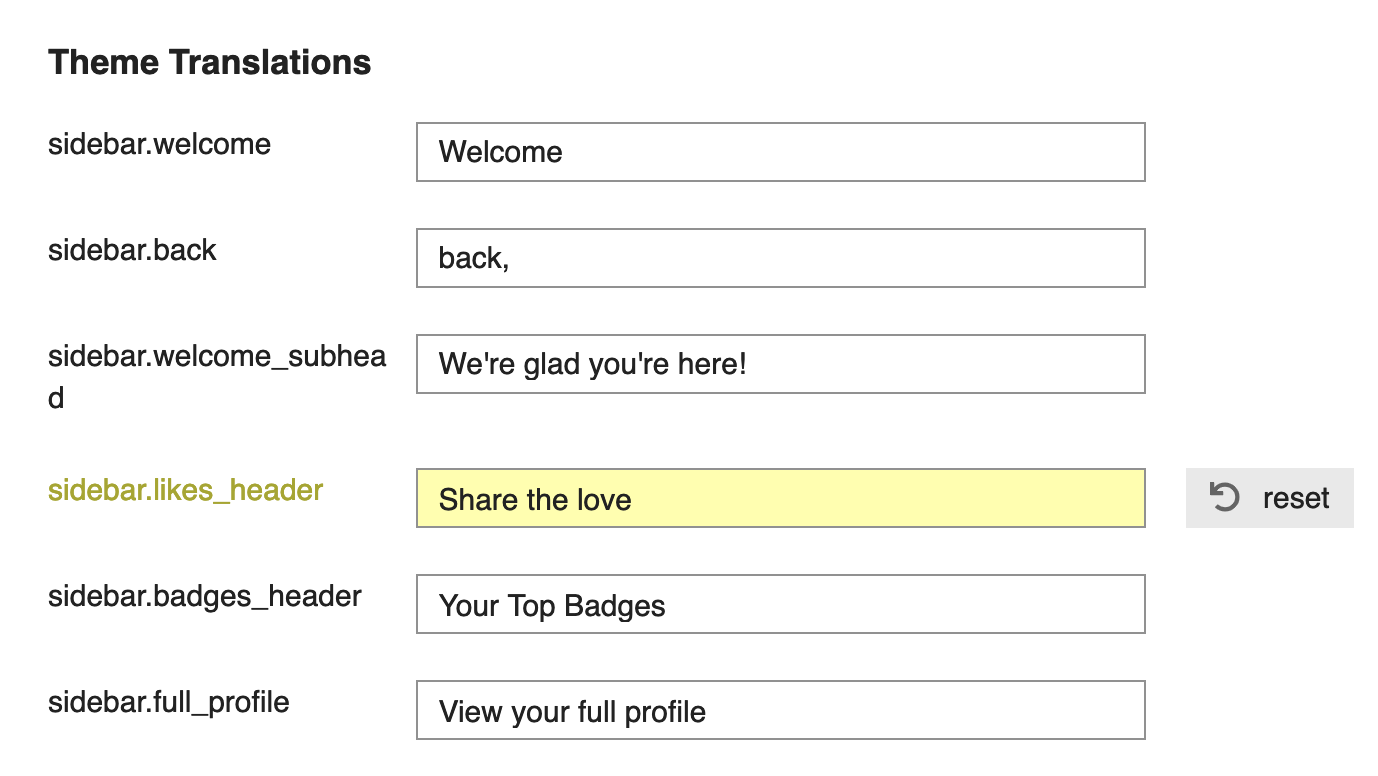
In the background, these translations are stored alongside the core translations, under a theme-specific namespace. For example:
theme_translation.{theme_id}.sidebar.welcome
You should never hardcode the theme_id in your theme code, so there are a few ways to help you access the translations.
In .hbs files, you can use the dedicated helper
{{theme-i18n "my_translation_key"}}
Or, if you need to pass the translation key into another component, you can use the theme-prefix helper:
<DButton @label={{theme-prefix "my_translation_key"}} />
In Javascript, or in .gjs files, you can use the themePrefix function. This is automatically injected, and does not need to be imported:
const result = I18n.t(themePrefix("my_translation_key"))

<template>
  {{i18n (themePrefix "blah")}}
</template>
For a complete example of using translations in a theme, check out @awesomerobot’s Fakebook theme: GitHub - discourse/Fakebook
This document is version controlled - suggest changes on github.